Finvox
A personal finance web app that brings daily transactions, budgets, wallets, and financial goals into one workspace, helping users understand their money and plan their next steps.
Overview
Finvox helps people turn everyday financial activity into a clearer picture of their money. Users can record income and expenses, monitor balances, manage budgets, and work toward financial goals through a single application.
Building on its roots in financial education, Finvox connects learning with practical tools. Quick transaction entry makes daily recording easier, while dashboards, calculators, and planning features help users understand what their records mean and decide what to do next.
Educational articles remain available through Insight, supporting the application with accessible explanations of finance, investing, business, and the economy.
Project at a Glance
- Type: Personal finance application and product website
- Platform: Responsive web app and Progressive Web App (PWA)
- Industry: Personal finance
- Core features: Transaction tracking, budgets, wallets, assets and debts, financial goals, categories, and calculators
- Premium features: AI financial assistant, monthly reports, recurring transactions, and shared group finances
- Live site: finvox.id
The Challenge
Managing money involves more than keeping a list of purchases. Users need to understand their spending, track balances across different wallets, account for debts, and set aside money for future needs.
Keeping those records consistent can be difficult when every transaction requires several steps. As financial information grows, the interface also needs to remain clear enough for users to find what matters.
The challenge was to bring fast daily recording and more detailed financial planning into one experience. Finvox needed to make common actions easy to reach while giving balances, budgets, and goals enough context to support everyday decisions.
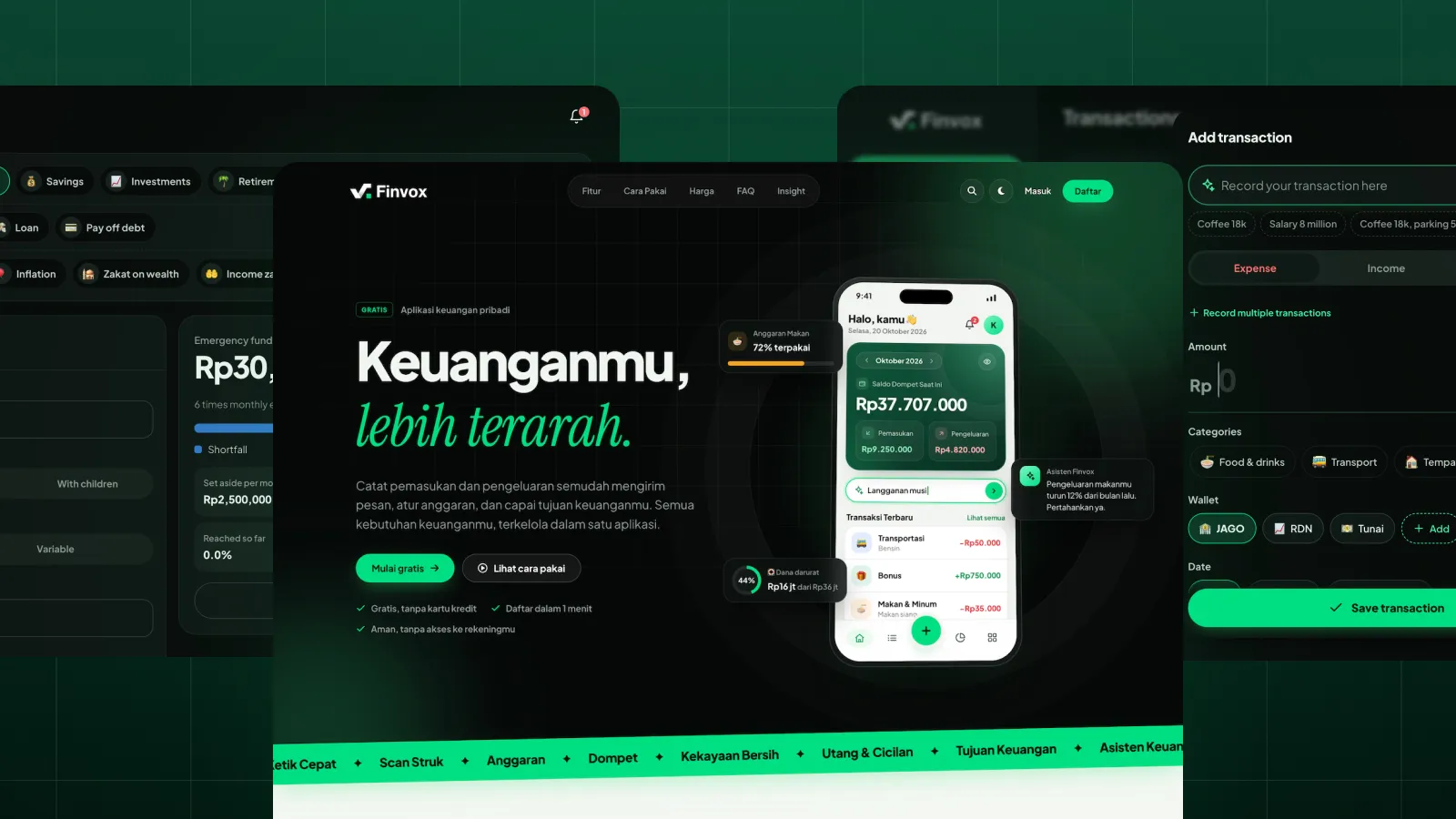
A Product Website That Lets People Try First
The public website introduces Finvox through familiar activities: recording a purchase, checking monthly spending, setting a budget, and saving toward a goal.
An interactive quick-entry demo lets visitors try writing transactions before creating an account. Examples such as “Kopi 18rb, parkir 5rb” demonstrate how everyday language becomes structured records, making the product easier to understand through direct interaction.
Feature previews, a setup guide, financial calculators, and a Free–Premium comparison explain what users can do and how to begin. Insight articles keep financial education connected to the product experience.
A Clear View of Everyday Finances
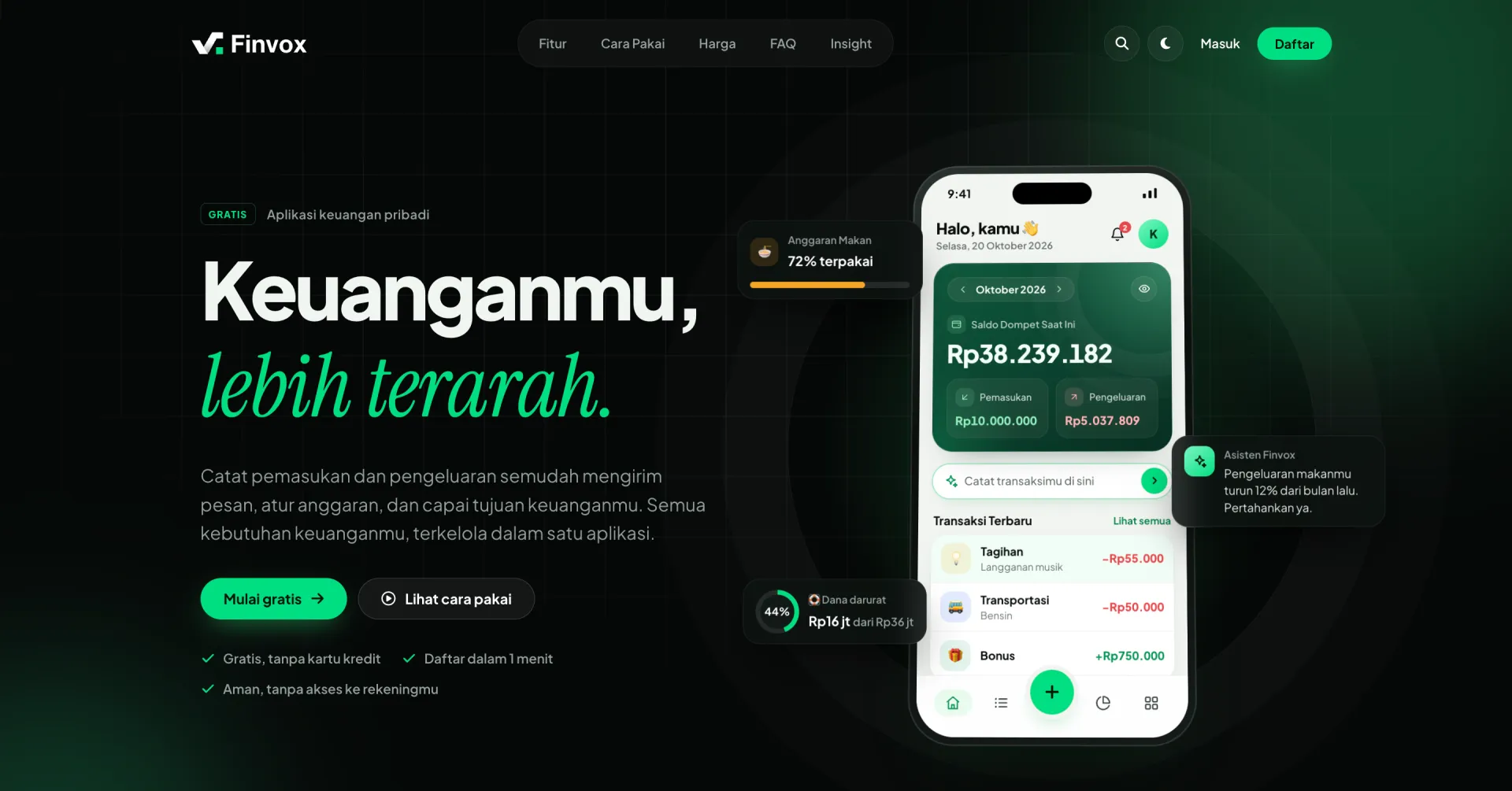
The dashboard brings wallet balances, monthly income and spending, recent transactions, budget usage, and financial goals into one view.
A prominent balance card establishes the hierarchy, with income, expenses, and the monthly difference grouped together. The financial condition panel adds context through observations such as emergency-fund coverage and the share of income set aside.
Budget indicators show what has been used and what remains, while goal cards keep future plans visible. Quick entry sits directly below the main summary, making it easy to record a transaction while reviewing the month.
Transaction Entry in Everyday Language
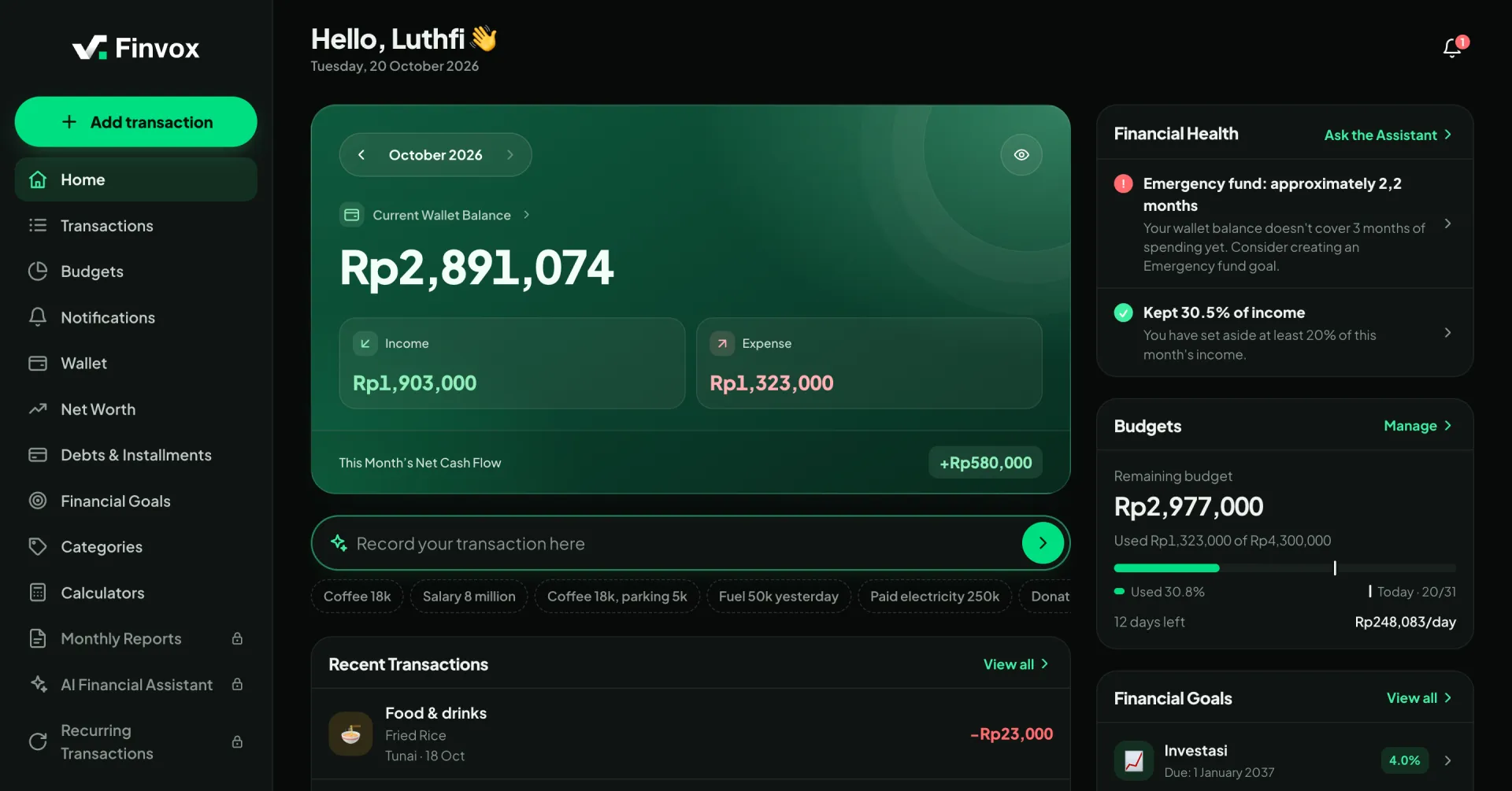
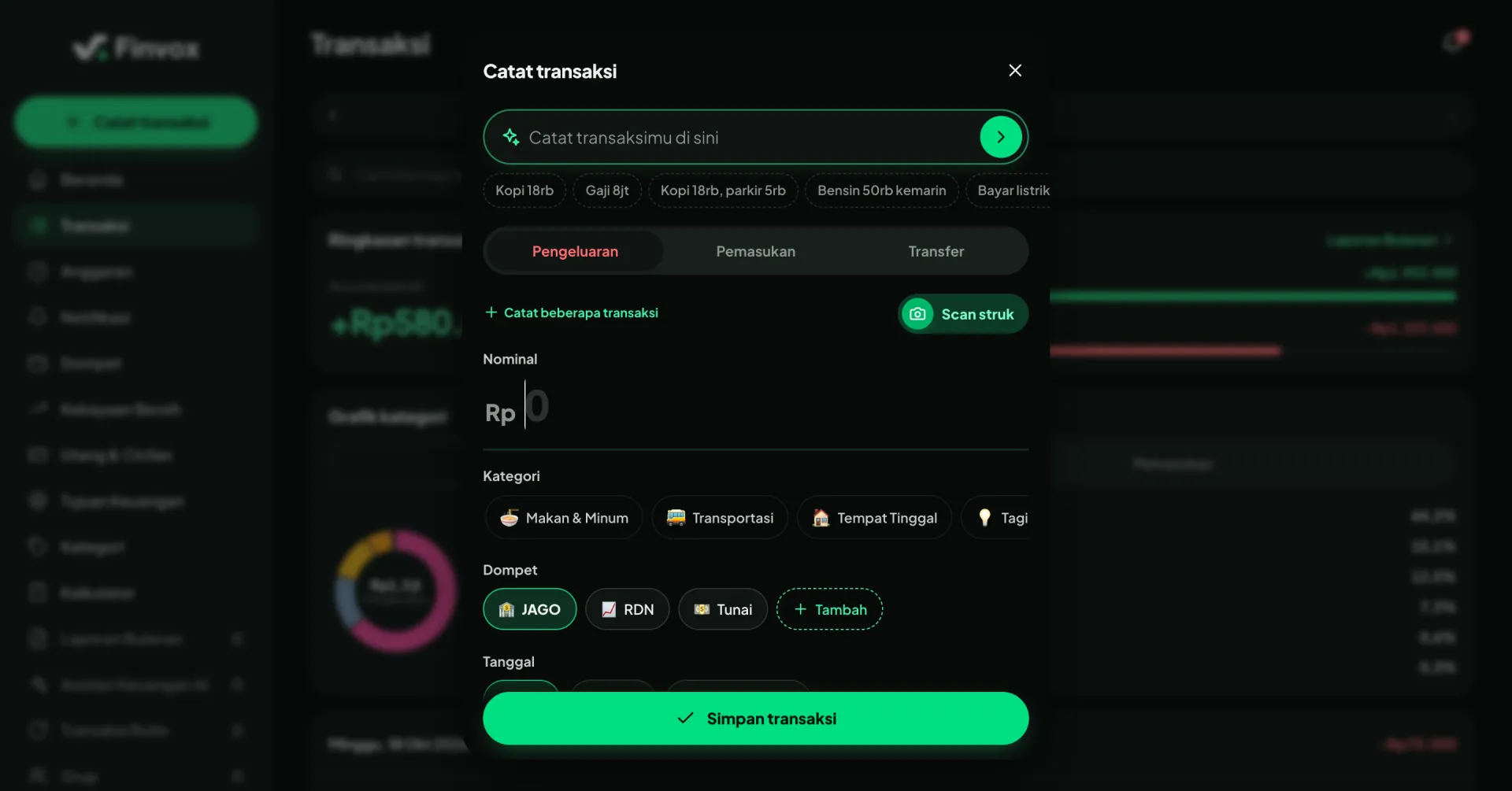
Finvox makes everyday recording more approachable through quick entry. Users can write phrases such as “Kopi 18rb,” “Gaji 8jt,” or “Bensin 50rb kemarin,” and the application interprets the amounts, categories, and dates.
Several transactions can be entered in a single sentence, reducing repeated steps when recording multiple purchases.
For more control, the transaction dialog provides manual options for expenses, income, and transfers, along with category, wallet, and date selection. Receipt scanning offers another way to capture purchases, with the results available for review before saving.
The experience combines a quick starting point with access to the details users may need to adjust.
A Connected Set of Financial Tools
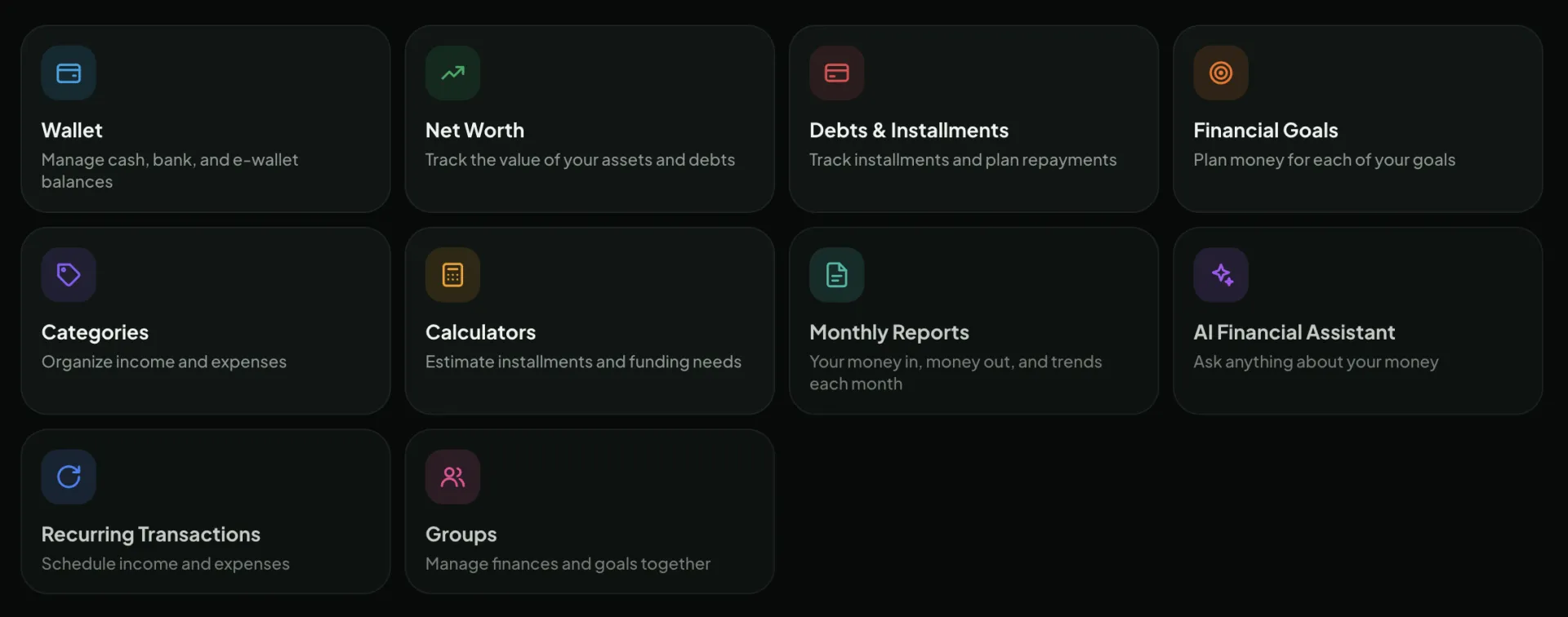
Finvox brings related financial tasks into a consistent workspace. Wallets organize recorded balances across cash, bank accounts, and e-wallets, while categories give income and expenses a structure that is easier to review.
Net worth combines assets and debts into a broader financial picture. Debt and installment tracking helps users organize repayment plans, while financial goals and calculators connect future needs with saving targets.
Premium features extend the routine with monthly reports, an AI financial assistant, scheduled transactions, and groups for managing finances together. Each tool supports a different part of the same process: recording activity, understanding the current position, and planning ahead.
From Calculations to Financial Goals
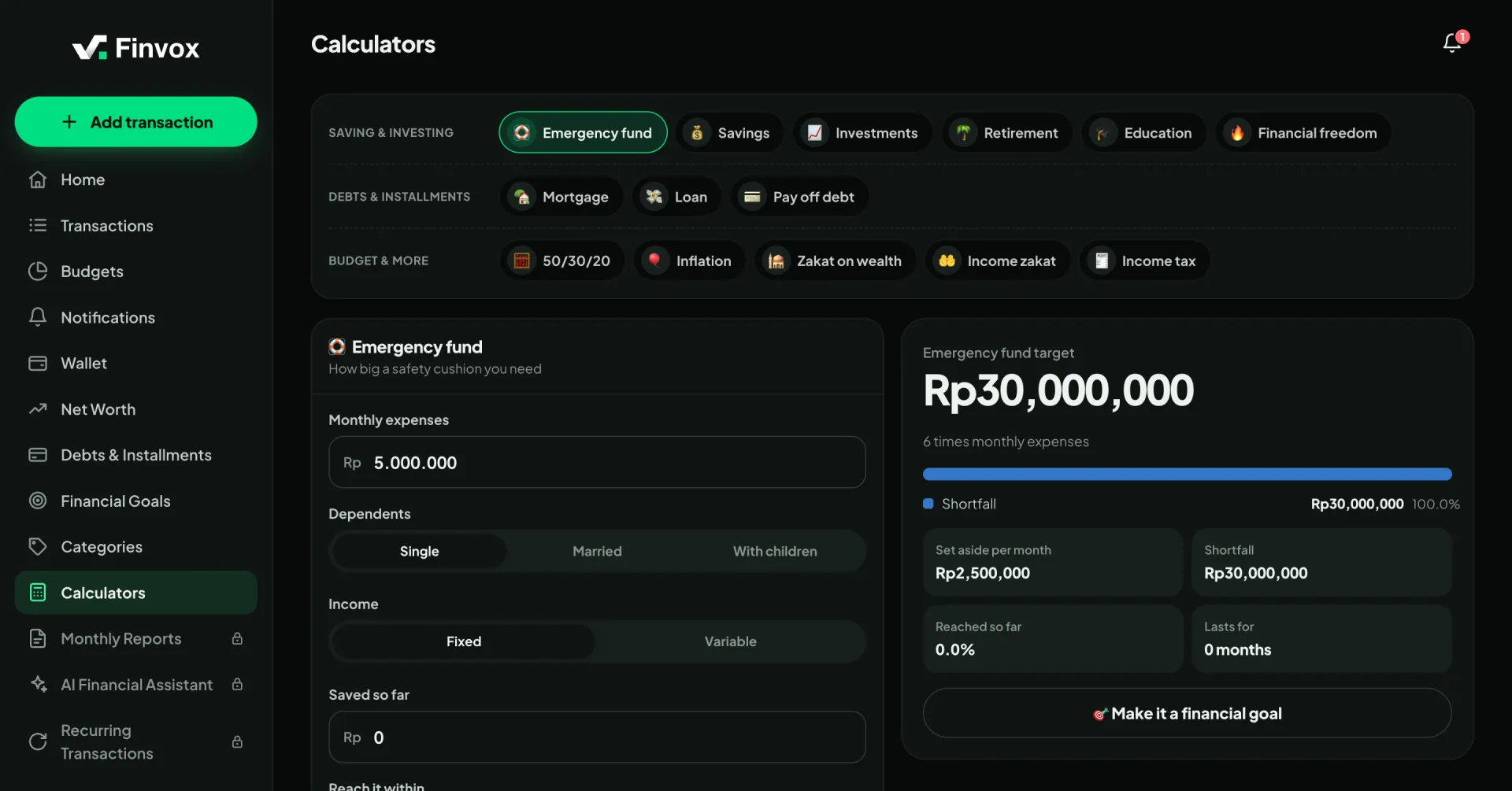
Finvox includes calculators for emergency funds, savings, investments, retirement, education, mortgages, loans, and other planning needs. Related tools are grouped by purpose so users can find an appropriate starting point.
Inputs and results appear together, allowing users to adjust assumptions and see how those changes affect the plan.
The emergency-fund calculator considers monthly spending, dependents, income stability, and existing savings. It presents a target amount, the remaining gap, and a monthly saving figure.
An action to turn the result into a financial goal connects the calculation with ongoing tracking, helping users move from exploring a target to following a plan.
Built for an Ongoing Routine
Finvox supports regular use across devices. The application can be installed from the browser, and offline transaction recording allows users to maintain their records when connectivity is unavailable. Changes synchronize when they return online.
The Free plan provides access to core tracking and planning tools. Premium expands the available features and usage limits as users develop their financial routine.
Users record their own activity without connecting bank accounts. Finvox focuses on organizing financial information and supporting planning, with wallet balances reflecting the records users maintain.
Visual Design
Finvox combines deep forest green, near-black surfaces, and a vivid green accent across the public website and application.
The website uses dark sections, large headlines, and product previews to introduce key ideas. Inside the application, spacious cards, clear labels, and prominent financial figures help users scan more detailed information.
The feature overview extends this visual system through dark cards and distinct icon colors, making the breadth of the application easier to explore. Consistent typography, rounded shapes, and spacing connect these cards with the rest of the product.
Color-coded income and spending, progress indicators, and category icons provide additional cues for understanding balances, budgets, and goals.
Closing Thoughts
Finvox brings daily financial habits and future planning into a connected experience. Quick entry makes recording transactions easier, the dashboard gives those records context, and the wider toolkit helps users organize balances, understand obligations, and plan toward their goals.
Financial education remains part of the experience, supported by practical tools that users can return to every day.